Plan with AI. Run with live coaching.

Pacing builds your training plan and talks you through every run. Edit any pace, interval, or rest.

14-day free trial · No watch needed · iPhone & Android

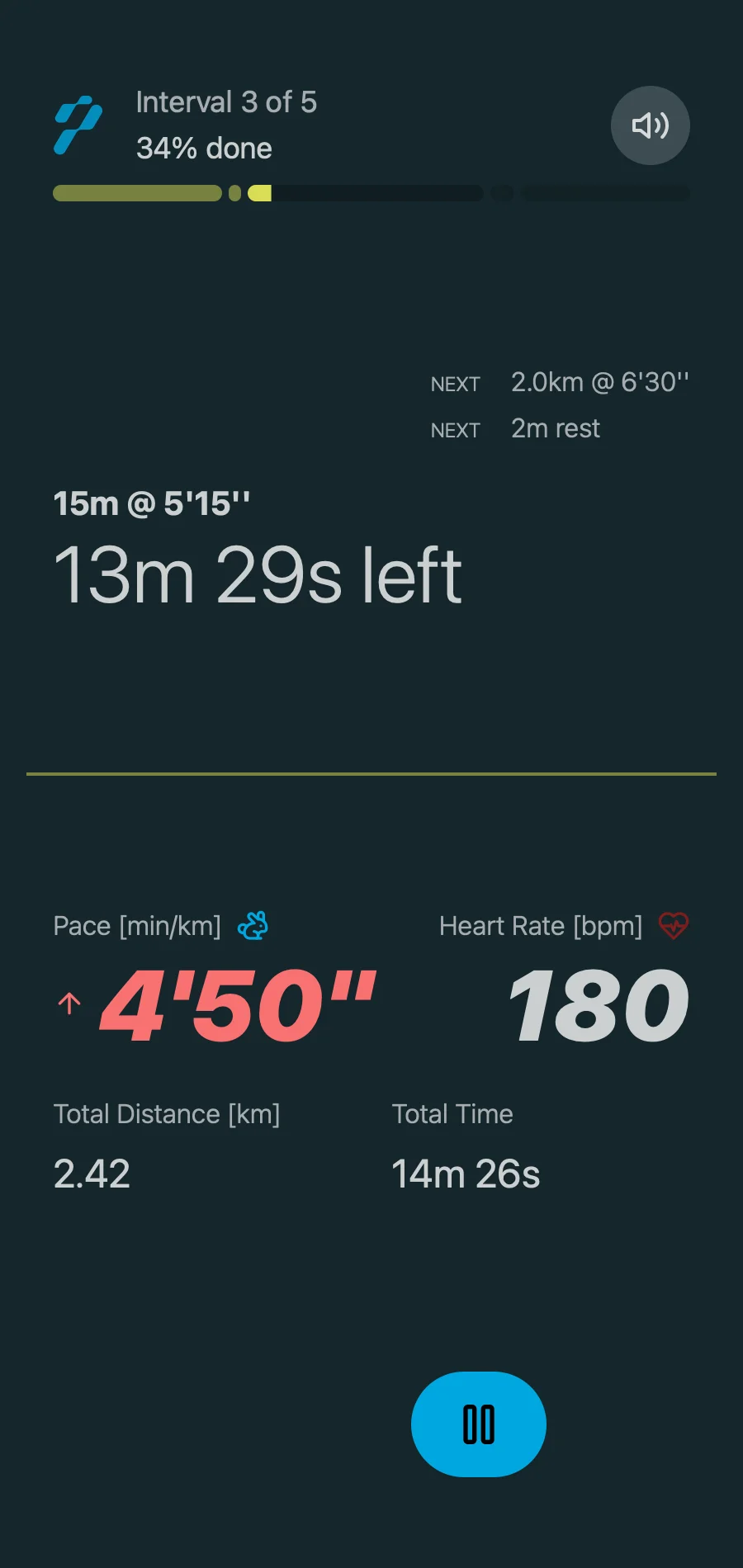
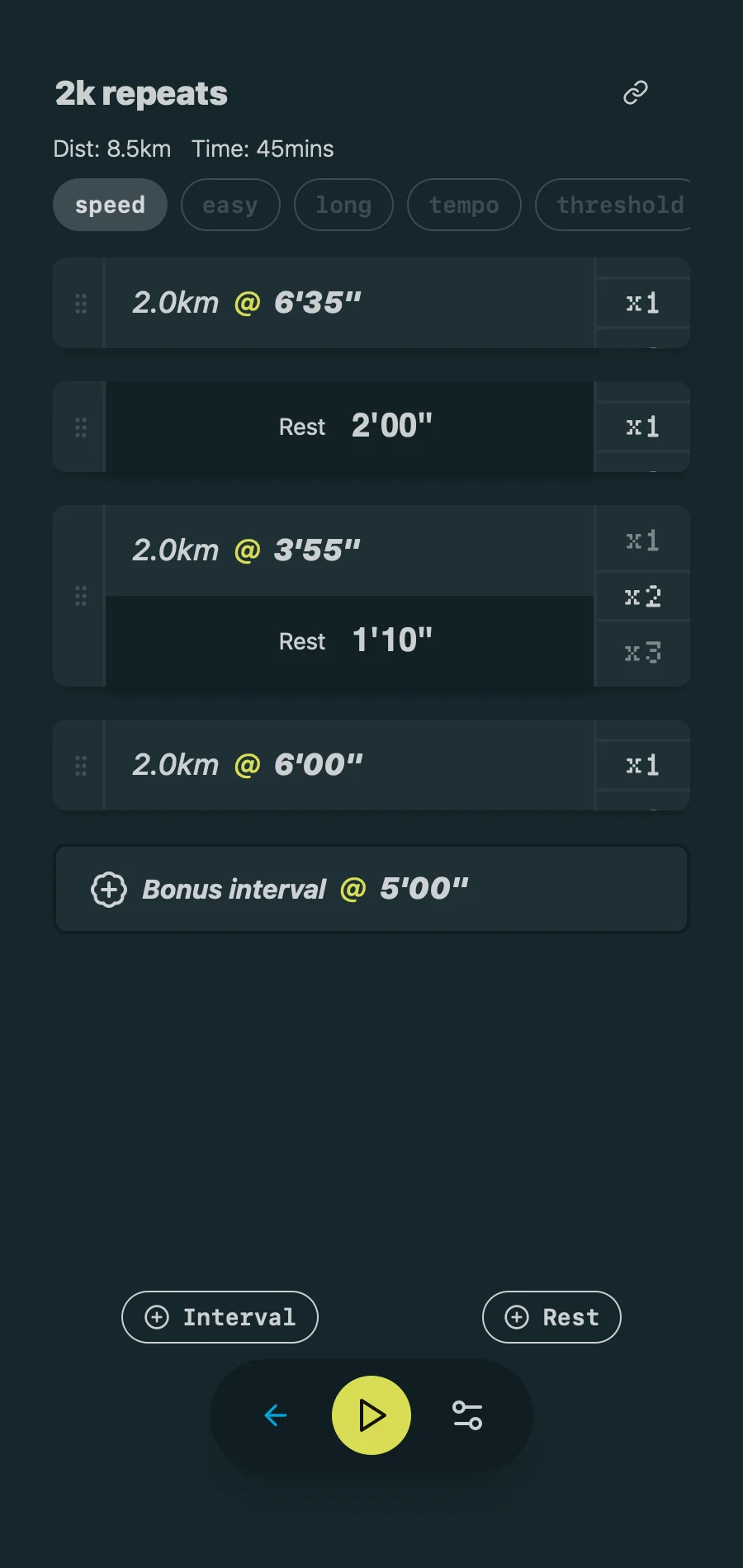
An editable interval workout in the Pacing running app

From goal to start line

Set a goal and Pacing writes the plan. Shape every workout, then run it from your phone.

01

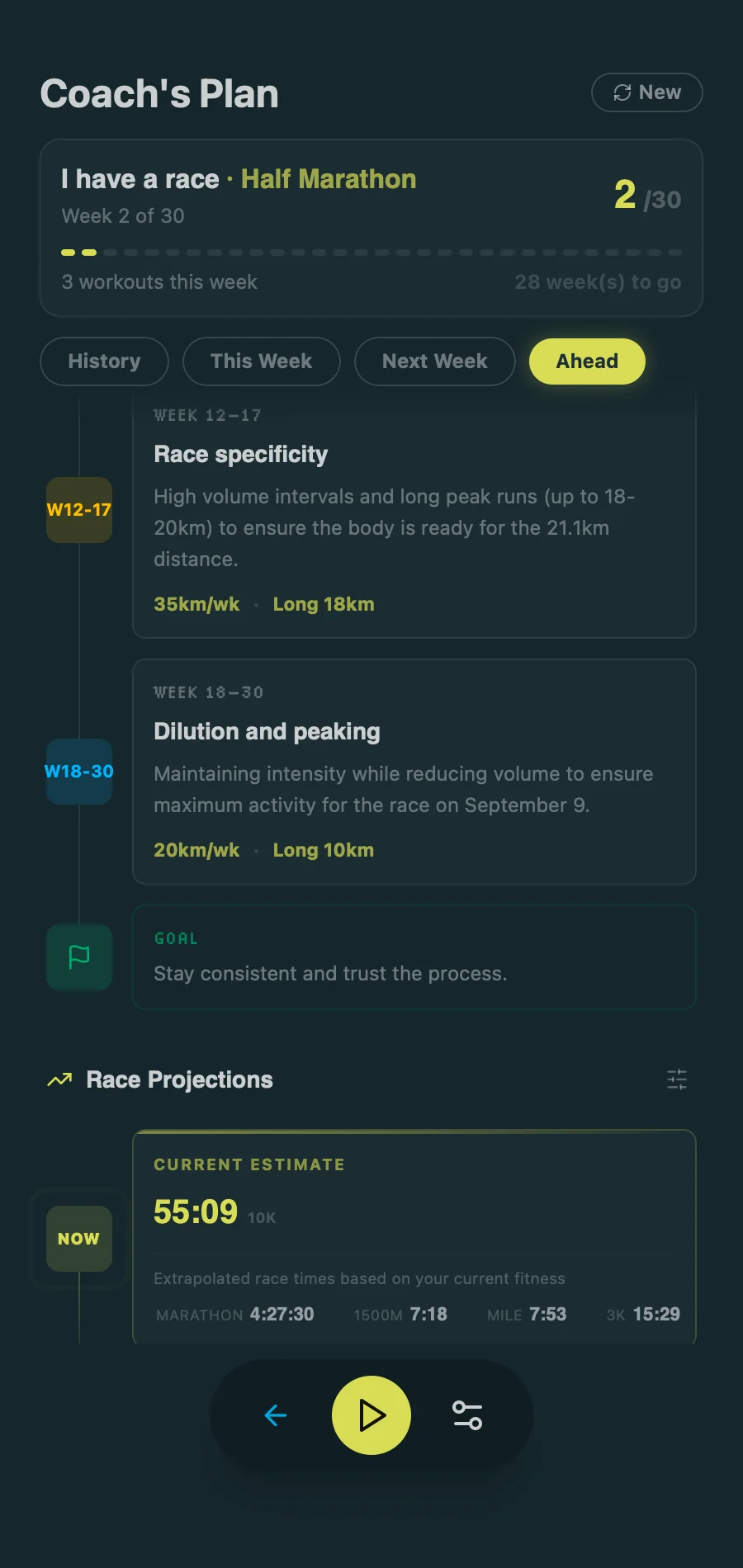
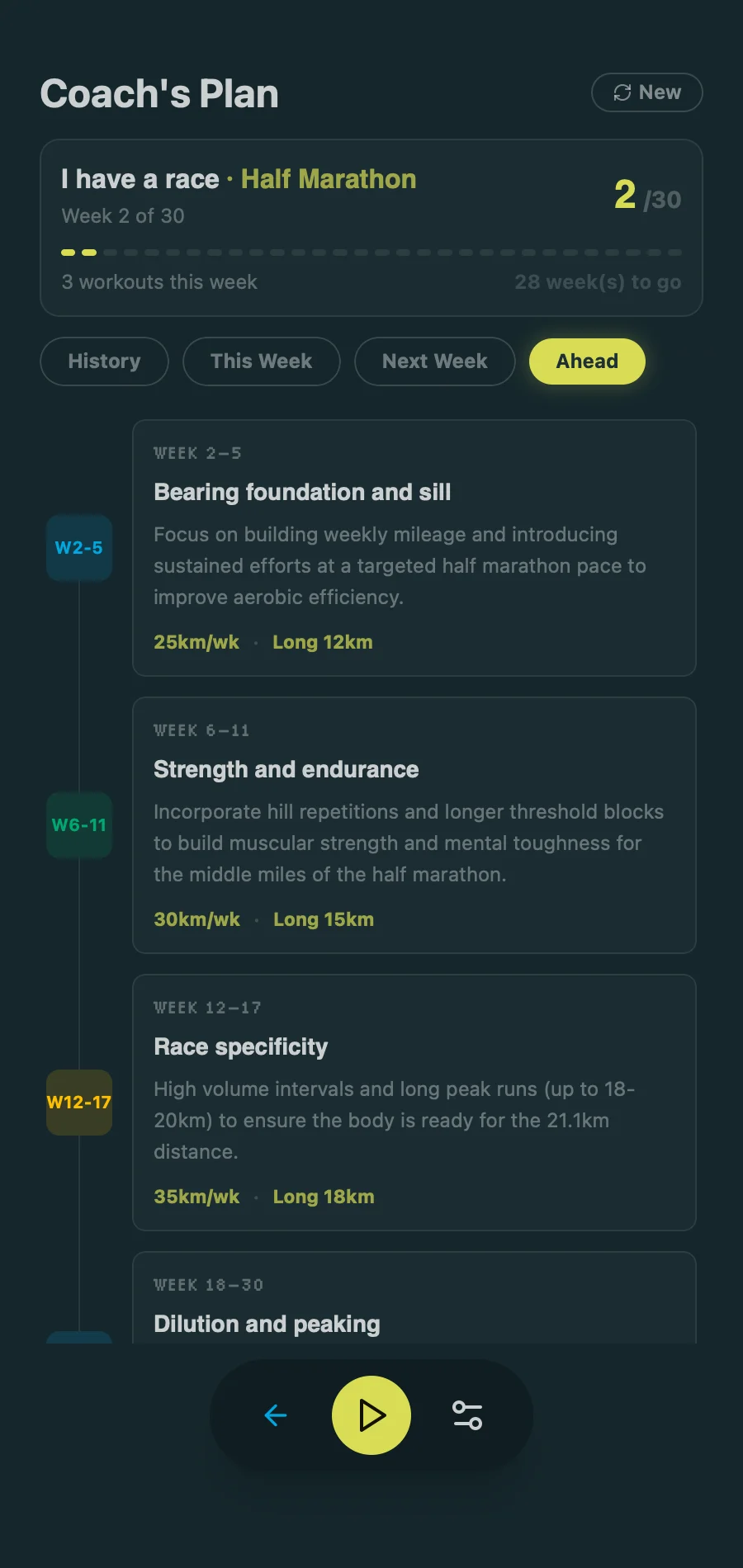
Your Plan, Built by AI

Pick any goal. Start running tomorrow.
Your Plan, Built by AI
02

Make It Yours

Reorder intervals and change any pace.

Make It Yours
03

Hands-Free Coaching

Voice cues call every split. Your phone stays in your pocket.

Hands-Free Coaching

See Your Times Fall

AI tracks your fitness and predicts race times.

5K
24:30 improves to 22:48
21.1K
1:48:50 improves to 1:44:12
See Your Times Fall

Cross the Line on Time

Load your route and goal time. Pacing calls the right split as you run, then guides the final stretch within your Plan B.

A live coached race with route, pace band and target splits

More control before, during, and after every run.

Your Workout Library

Save the workouts you build and rerun them anytime.

Dial In Every Split

Pace or heart rate. Time or distance. Miles or km.

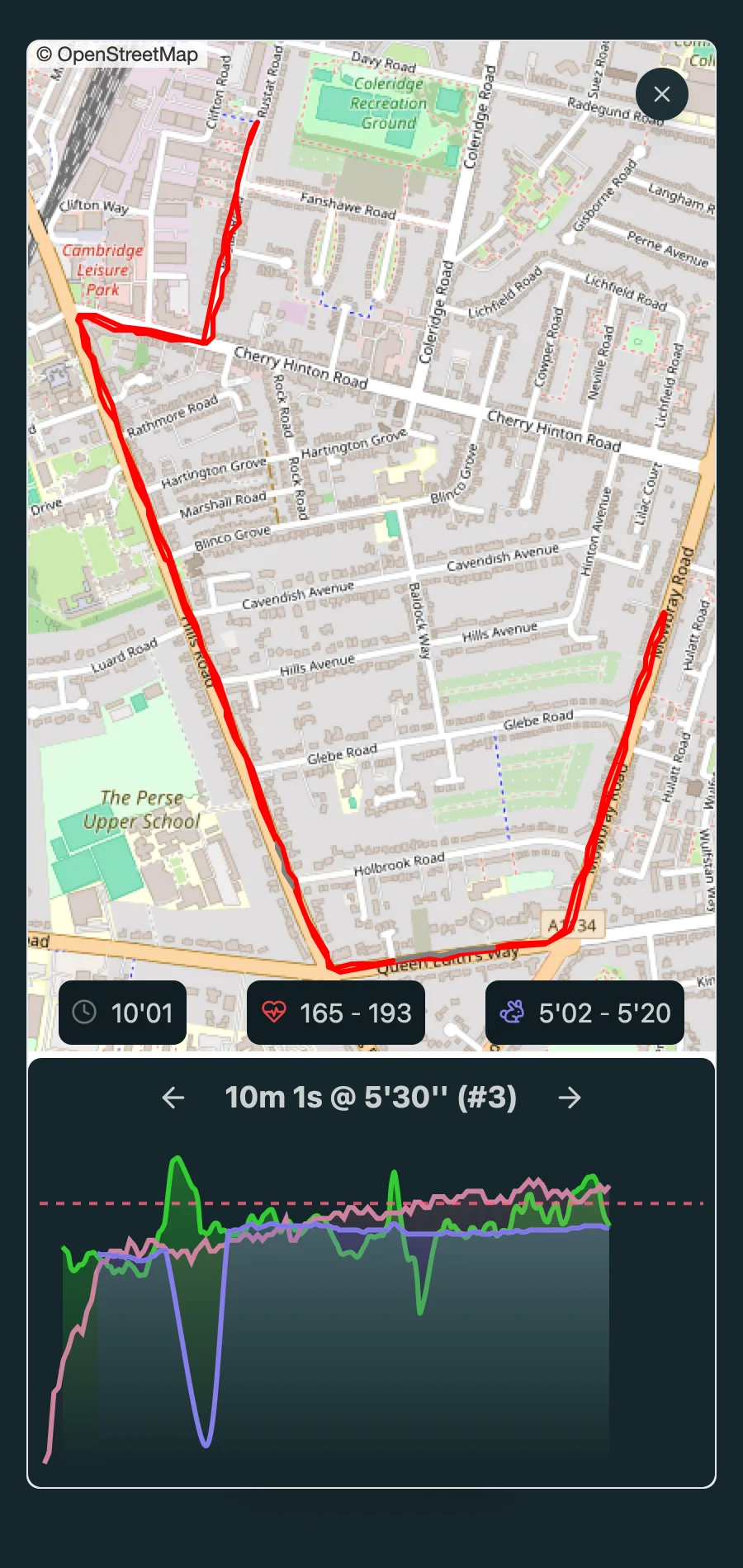
The Post-Run Breakdown

Tap any split for pace, heart rate, and elevation.

Why Pacing?

Pricing, offline runs, languages, and your data

Lifetime option

Pay once. No renewals.

Works offline

Cues load at the start of each run. After that, no signal needed.

No watch required

Your phone's GPS handles pace and distance on its own.

15 languages

The whole app in 15 languages, auto-detected.

Your data, your device

Everything stays local. Encrypted cloud backup is optional.

Try Pacing free for 14 days

Build a plan and take it for a run before deciding.

14-day free trial · No watch needed · iPhone & Android
Frequently asked questions

Do I have to create an account?
No. Download the app and start running. Everything stays on your device by default. To back up your workouts, turn on Cloud Backup with an email, Google, or Apple sign-in.
What if I lose my phone or switch devices?
Turn on Cloud Backup in settings and your workouts are stored online, end-to-end encrypted. On a new device, sign in with the same account to restore them. Without Cloud Backup, your data stays on your phone and can't be recovered if the phone is lost.
Can I post my workout to Strava?
Yes. Open any finished workout and post it straight to Strava, with interval distances and paces included.
Do I need a GPS watch or heart rate monitor?
No. Your phone's GPS is enough for pace tracking. Heart rate is optional: on iPhone, Pacing supports AirPods Pro 3 heart-rate sensing, and you can pair a Bluetooth chest or arm strap. Apple Watch isn't currently supported. Questions? Email support@pacing.run.
Can I create custom training plans?
Yes. Build plans from scratch with intervals, tempo runs, long runs, and recovery days, then edit any of it later.
Is there a subscription fee?
Choose monthly, annual, or a one-time lifetime purchase. Workout creation, pacing, and run data are included in every paid plan and won't move behind extra fees.
Is the app available on Android?
Yes, the app is available on both iOS and Android.
Do you offer a free trial?
Yes, for 14 days. On the lifetime plan there's no auto-charge: you're asked to buy when the trial ends. Monthly and annual plans renew through the App Store or Google Play.
Does the app require internet?
Only at the start of a new workout, so the voice cues can be generated. They're saved to your phone, and GPS, Bluetooth, and coaching then work offline, including in airplane mode.
Is Pacing available in multiple languages?
Yes. English, Spanish, French, German, Chinese, Japanese, Korean, Arabic, Hindi, Hebrew, Portuguese, Italian, Dutch, Polish, and Russian. The app follows your device language automatically.